
v1.4.0: Walk the Path
Waev v1.4.0 ships path-walk for MeshCore paths, a packet archive explorer, a live packet globe, and a topology engine that proves what it draws.

122 commits since v1.3.0. 67 features and 31 fixes. Somewhere in the middle of that span a theme showed up and refused to leave: v1.3 drew the mesh. v1.4 reasons about it. What is provable, what is spoofed, what is private, and what the RF physics actually permit.
TLDR: Waev v1.4.0 adds path-walk on the Live Map, a packet archive explorer at /archive, a live packet globe, a physics-checked topology engine, privacy markers for enrolled observers, and Mesh Rewind. 122 commits, 67 features, 31 fixes.
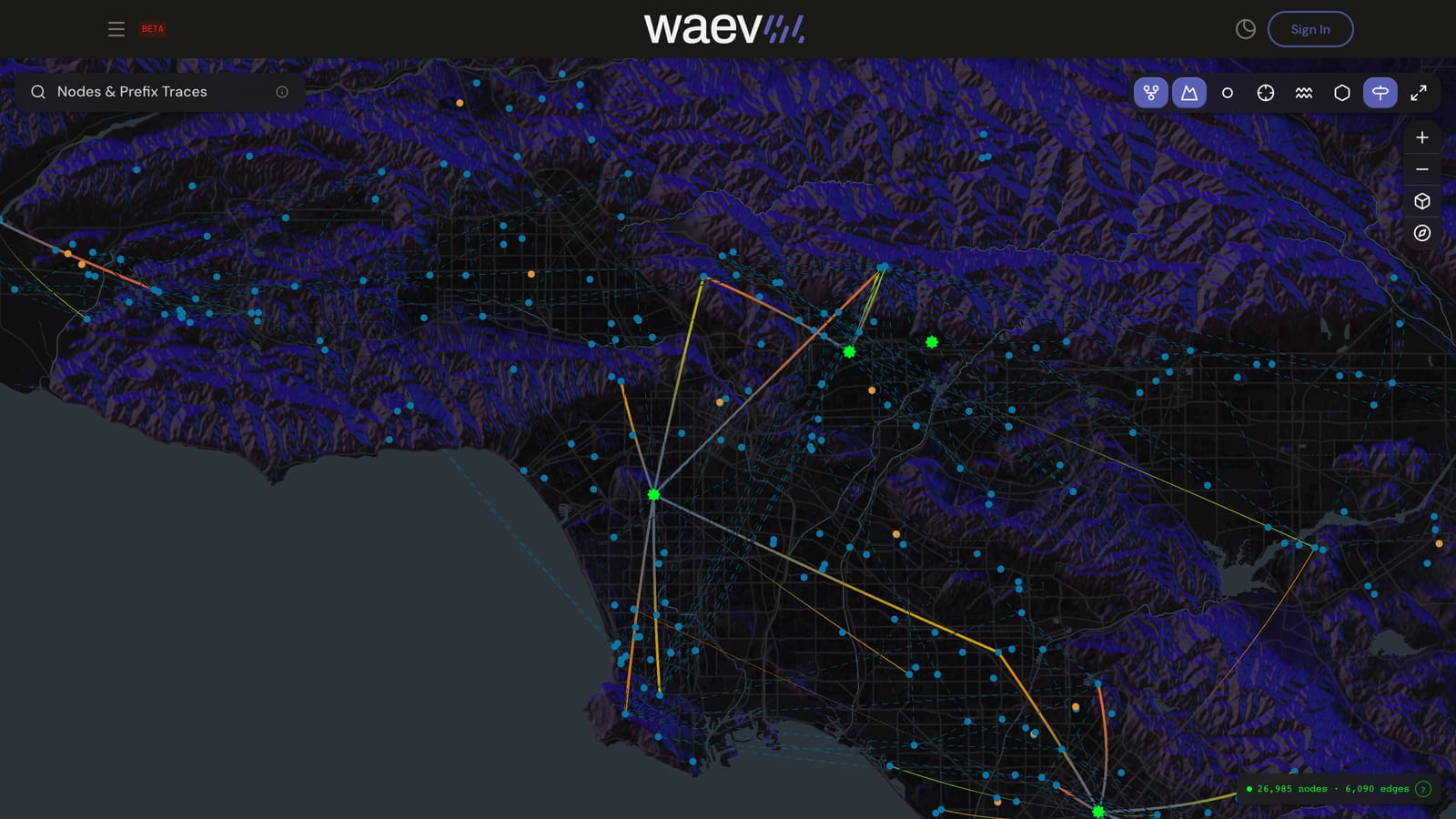
Walk the path
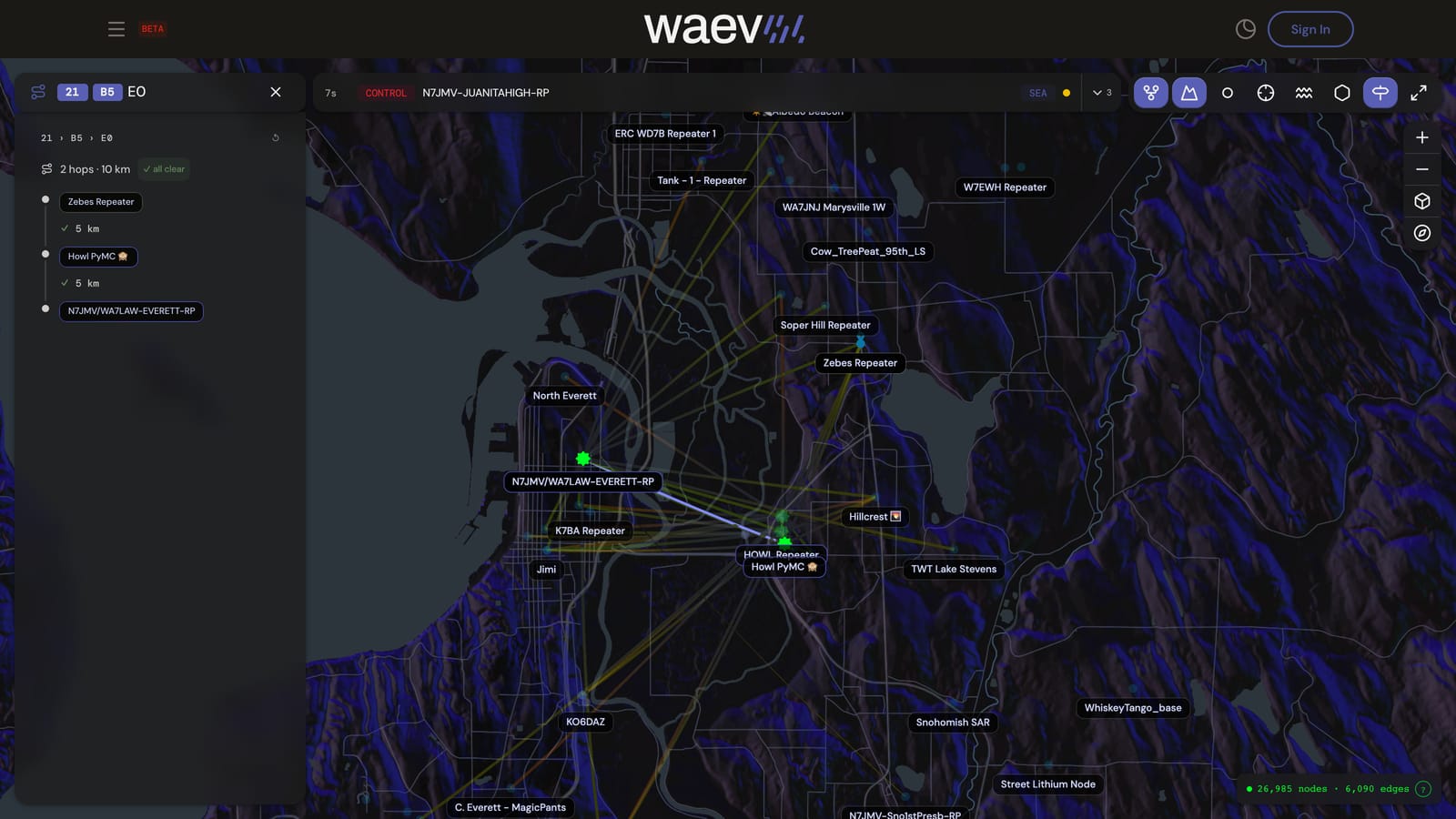
A MeshCore path is a chain of one-byte hop hashes. Compact on the air, opaque on a screen. You could always read one in a packet detail view. Now you can walk it.
Type or paste a path into the Live Map search bar. The solver resolves each hash byte to candidate nodes, scores the possible chains, and renders the best one as 3D arcs over the map, hop by hop, in order. Background edges ghost out so the walk owns the view. The resolved chain appears as node chips, so the route reads as names, not hex.
One byte rarely names exactly one node, and the solver does not pretend otherwise. When more than one chain fits, cycle the alternatives from the keyboard and watch the arcs re-route. cmd/ctrl+A selects the whole path in the input. Copy and paste are cross-compatible with MeshCore path formats in both directions, so a path from a companion app drops straight in, and a path from Waev pastes back out.
It is the lead feature of the release, and it feels like it.
Packet Search, in the archive
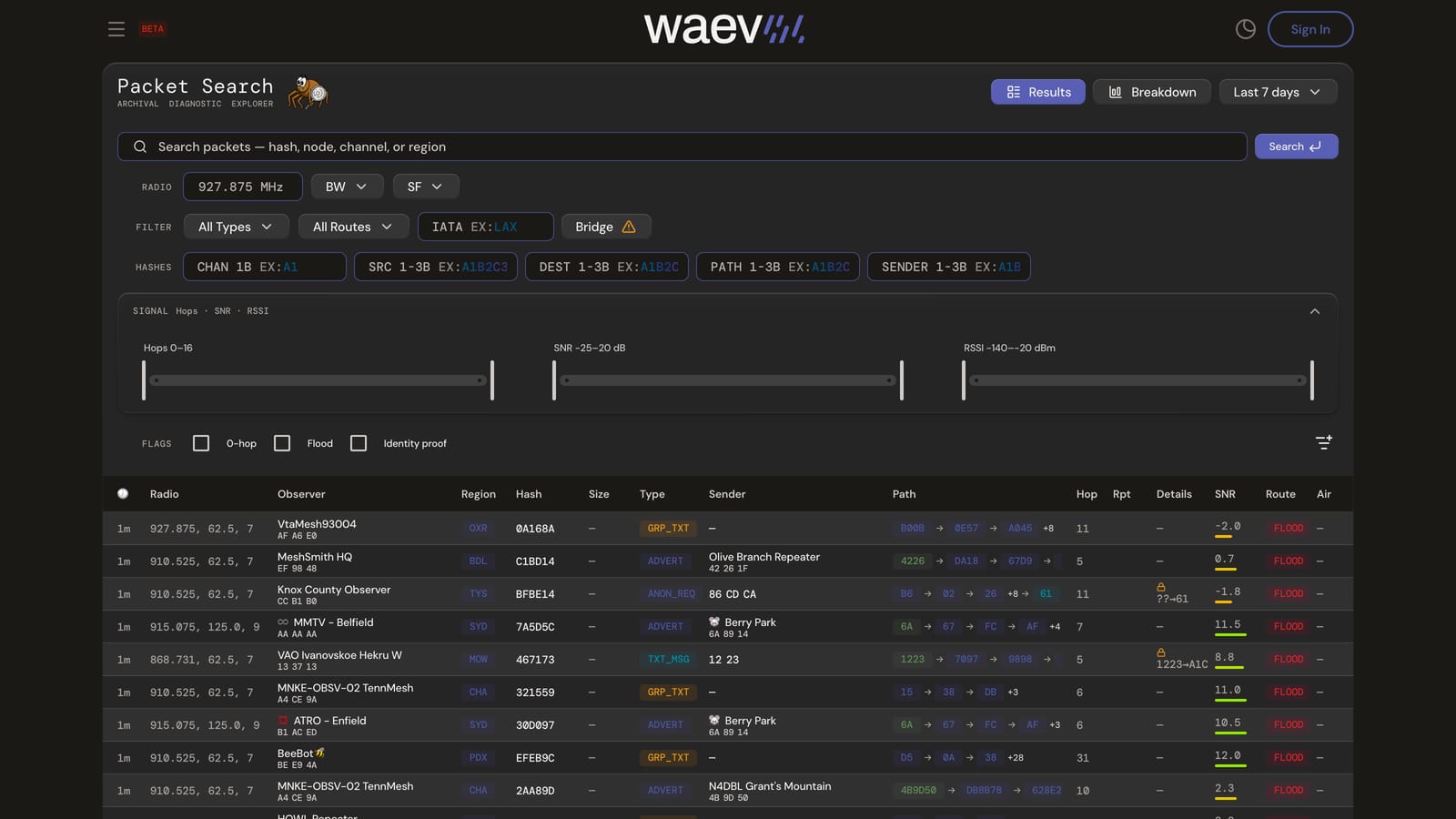
/archive is the new packet explorer. Search by hash, node, or channel. Filter by radio and by route. The hash fields work per byte: SRC, DEST, PATH, and SENDER each take their own value, so you can hunt down every packet that crossed one specific hop hash. Signal filters narrow the result set, and flags isolate 0-hop packets, floods, and identity proofs.
This is the after-action tool. Something went quiet on Tuesday? Search the hash, read the route, see which observer heard it last.
There is also a spider mascot. It sits in the archive and catches packets. No further justification will be offered.
The packet globe
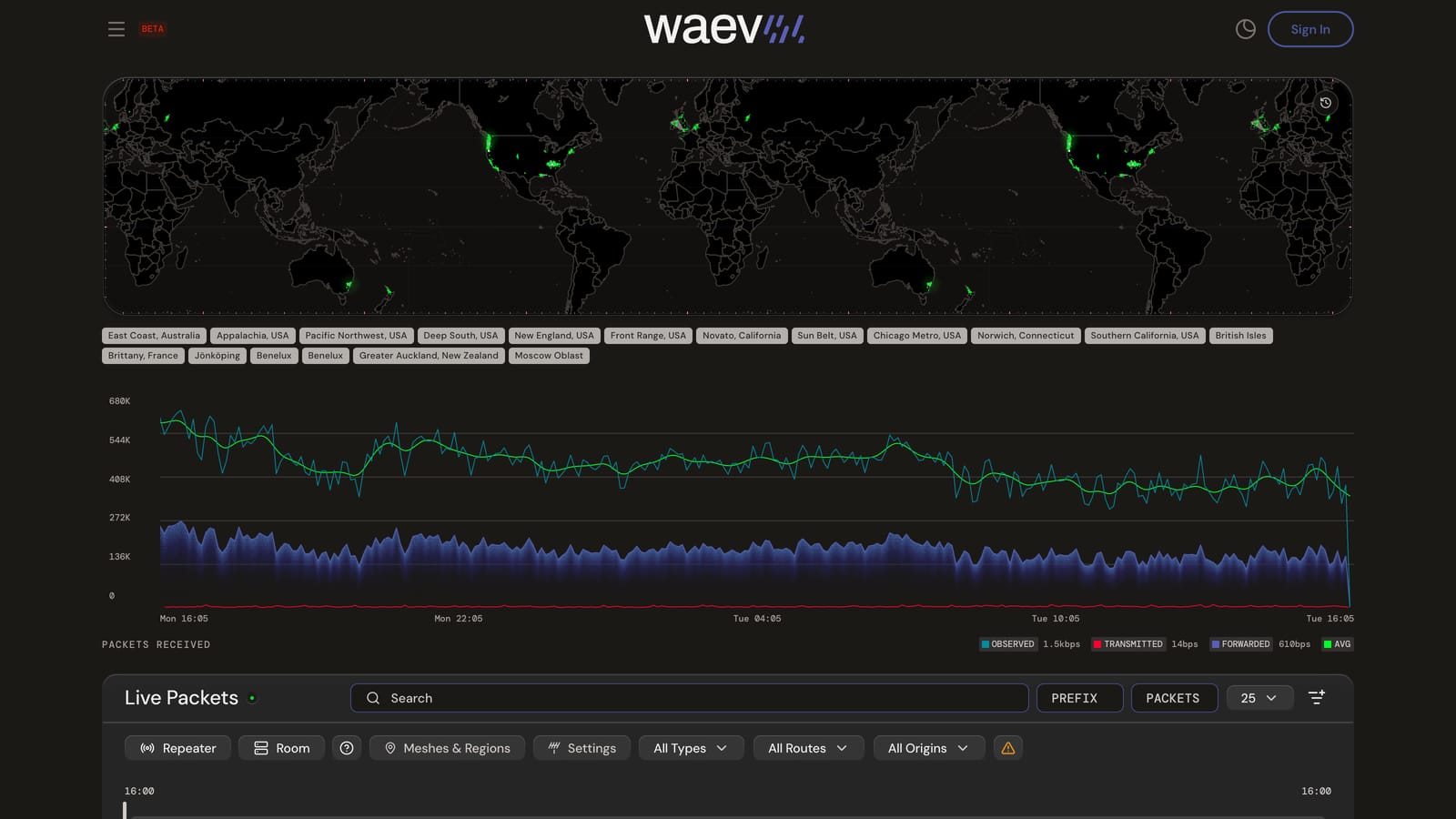
The Live Packets page now carries a PacketGlobe — a MapLibre globe that flashes once at each packet’s coordinates the moment it arrives. No trails, no heat blobs. Just the mesh breathing in real time.
Scrub the timeline rail and the globe replays the window you pick. The cursor is custom and dodges the readout so nothing hides under your hand, and the canvas is theme-aware, so it looks right in both light and dark.
Topology you can trust
This is the trust release underneath the visible features. Four waves of topology work, Wave 0 through Wave 3, with one organizing idea: every rule the map enforces lives in one file.
That file is trust-spec.toml. It is the single source of truth for the trust rules, and codegen compiles it into both TypeScript and Rust. The generator ships a check mode that fails the moment generated code drifts from the spec. The map and the pipeline cannot quietly disagree about what counts as evidence.
On top of the spec sit four mechanisms:
- A physics gate on edges. An edge renders only if the link it claims is physically plausible. We covered why edges need proof at all in From Radio to Map; the gate is that idea with teeth.
- Spoof containment. A node claiming coordinates far outside the mesh is contained by an observer-rooted mesh-hull distance check, with a 200 km buffer past the hull. Teleporting nodes stop smearing the map. We wrote about what a spoofed prefix does to a mesh map; now the containment is geometric.
- Explained absences. When the map refuses to draw a link, it can say why: too far, terrain blocks line of sight, or no observer could have heard it. A verdict instead of a shrug.
- Predictive coverage with real terrain. DEM sampling, horizon panoramas, and per-site reports. Ask where a node can reach before you climb the hill with a ladder and a mast.
Private observers
The privacy markers ⛔, 🛑, and 🚫 have always meant one thing on Waev: never stored, never mapped, never counted. But infrastructure had a free pass in practice. An observer is a piece of the network’s backbone, so it appeared on public surfaces, marker or not.
v1.4.0 ends the free pass. The same no-entry, stop, and prohibited symbols now apply to enrolled observers. Tag an observer’s name and it never appears on a public surface. The rule is enforced at request time, not by a cleanup job, so there is no leak window between the rename and the map catching up.
You lose nothing on your own gear. The owner keeps full statistics on their Outpost page. The public just does not get to browse your roof.
The marker mechanics are the same ones described in privacy markers in node names, and the full privacy model lives in the About page privacy section.
Mesh Rewind
A mesh is not a snapshot, and v1.4.0 stops treating it like one. Rewind landed in two waves.
Wave A gave meshes identity over time. Naming hysteresis means a mesh does not get renamed because one busy weekend moved its center of gravity. Merge and split lineage means that when two meshes grow together, or one tears apart, the history records which became which.
Wave B added the read path: graduated retention keeps recent history fine-grained and older history coarser, and timeline scrubbing moves you through it.
The question it answers is one operators actually ask: what did this mesh look like a month ago, and when exactly did it change?
Under the hood
The least glamorous work, listed because this audience checks:
- maplibre-gl moved to v6, ESM only, on a custom fork we maintain. The map stack is current again.
- Dependency security alerts went from 8 to 0, including one critical.
- Type errors in the design-system stories went from 52 to 0.
- Visual regression testing moved to Chromatic, which let us delete 486 committed screenshot baselines from the codebase. Reviews no longer include pages of PNG noise.
CI got rebuilt along the way, and it earned its war story. Running npm install on macOS would quietly prune a Linux-only package entry from the lockfile. The laptop stayed green, the push went up, and CI on Linux failed with a missing module that nobody had touched. The fix was boring and correct: regenerate the lockfile on Linux and stop letting macOS installs rewrite it. If your project mixes macOS laptops with Linux runners, read your lockfile diffs before you blame the runner.
The short version
The short version is the one at the top: the map stopped guessing.
Run an observer? Add a privacy symbol to its name if you want it private, or get on the map.
Frequently asked
- What is new in Waev v1.4.0?
- Waev v1.4.0 adds path-walk on the Live Map, a packet archive explorer at waev.app/#/archive, a live packet globe on the Live Packets page, a physics-checked topology engine, privacy markers for enrolled observers, and Mesh Rewind for viewing a mesh over time. The release spans 122 commits with 67 features and 31 fixes.
- What is path-walk on the Live Map?
- Type or paste a MeshCore path into the Live Map search bar and Waev resolves each hop hash to candidate nodes, draws the best chain as 3D arcs over the map, and lets you cycle through alternative resolutions with the keyboard.
- How does Waev verify mesh topology?
- Every rule lives in a single trust specification that compiles to both TypeScript and Rust, with a drift check that fails when the generated code and the spec disagree. Edges must pass a physics gate before they render, spoofed coordinates are contained by an observer-rooted mesh-hull distance check, and when a link is not drawn the map can explain why: distance, terrain line of sight, or observer reach.
- How do I keep my observer off the public map?
- Add a privacy marker such as ⛔, 🛑, or 🚫 to the observer's node name. A tagged observer never appears on public surfaces. The rule is enforced at request time, so there is no leak window, and you keep full statistics on your own Outpost page.